- Home /
- Help Center /
- Track and Control your brew with the Sanremo YOU
Track and Control your brew with the Sanremo YOU
- Lars Saalbach
- Hardware , Sanremo you
- March 28, 2026
Table of Contents
If you have added the Sanremo YOU preparation method and linked it via WiFi (check out how to connect it here), you can either use the Baristamode, or track all your individual brews assigned to your favorite beans and understand every measured detail.
Important Prerequisites
Before you start, there are two crucial requirements:
- Bluetooth Scale: You need a supported Bluetooth scale connected to BeanConqueror.
- Keep the App Active: Just like in Baristamode, the BeanConqueror app must remain in the foreground. You cannot lock your device, because the mobile operating system (iOS/Android) will send the app to sleep mode, cutting off the connection and control over your Sanremo YOU.
Step-by-Step Process
1. Start a New Brew
Open BeanConqueror and begin a new brew setup.
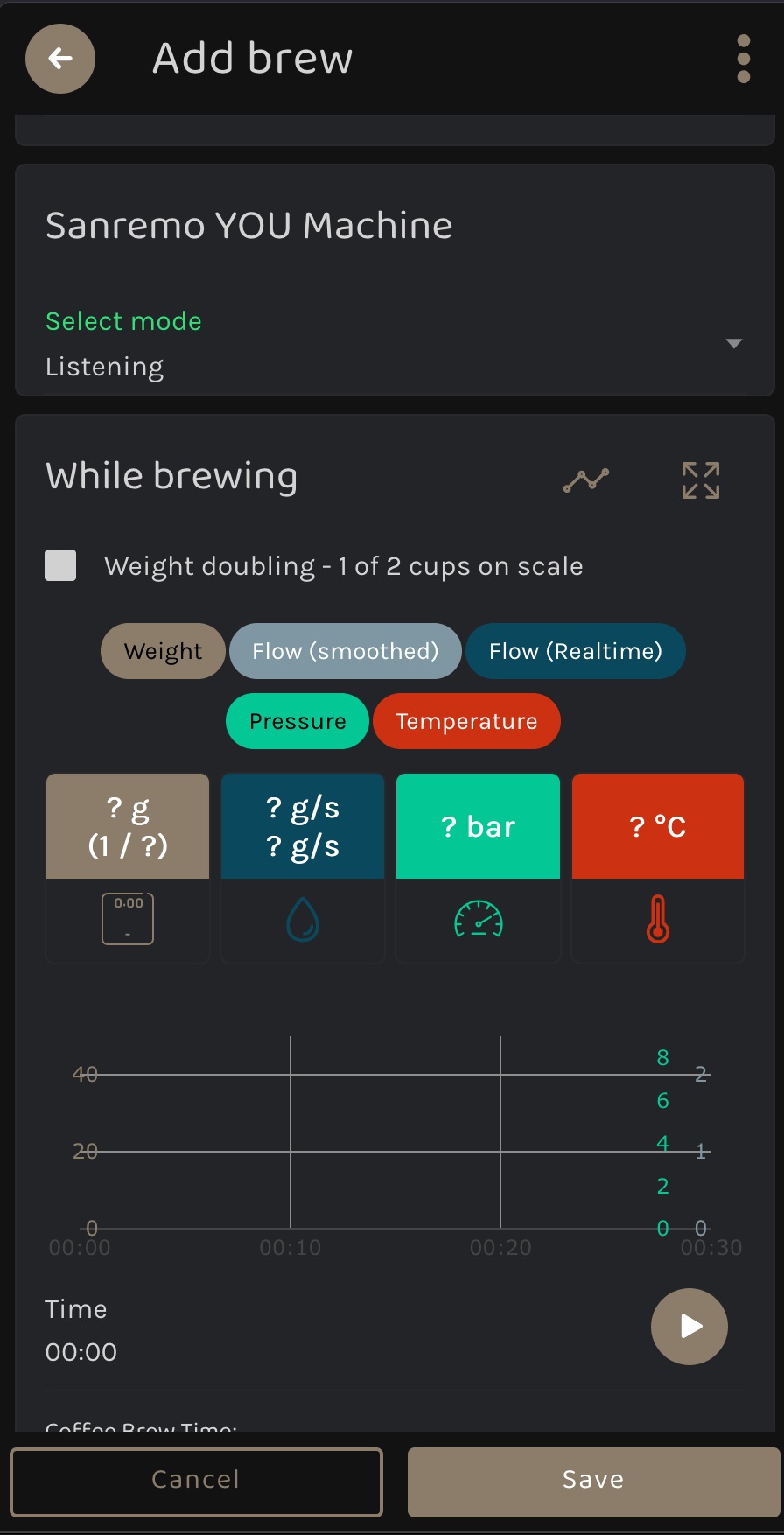
2. Choose the Mode
Select how you want to interact with your Sanremo YOU during this brew.
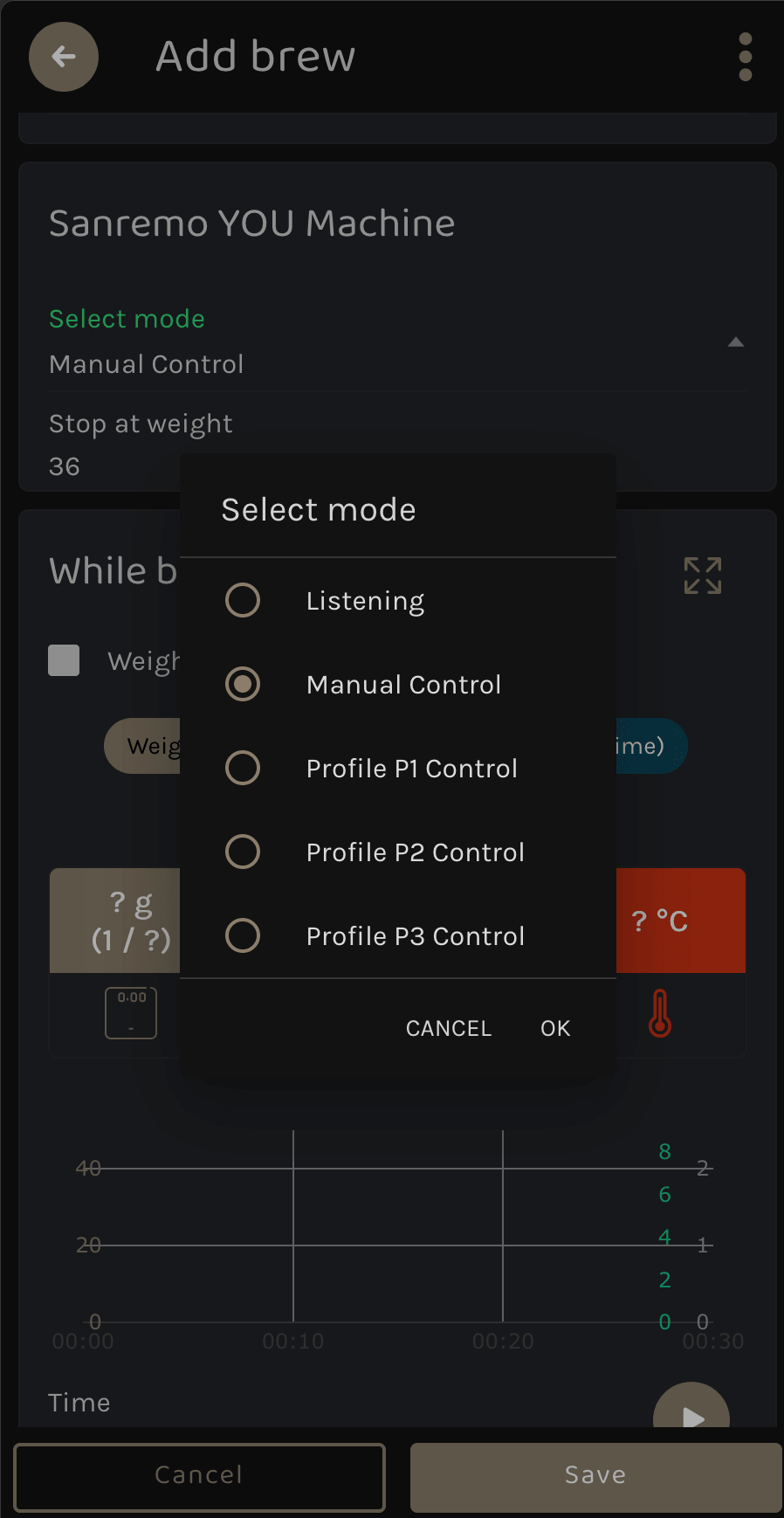
3. Set Target Weight (If controlling the shot)
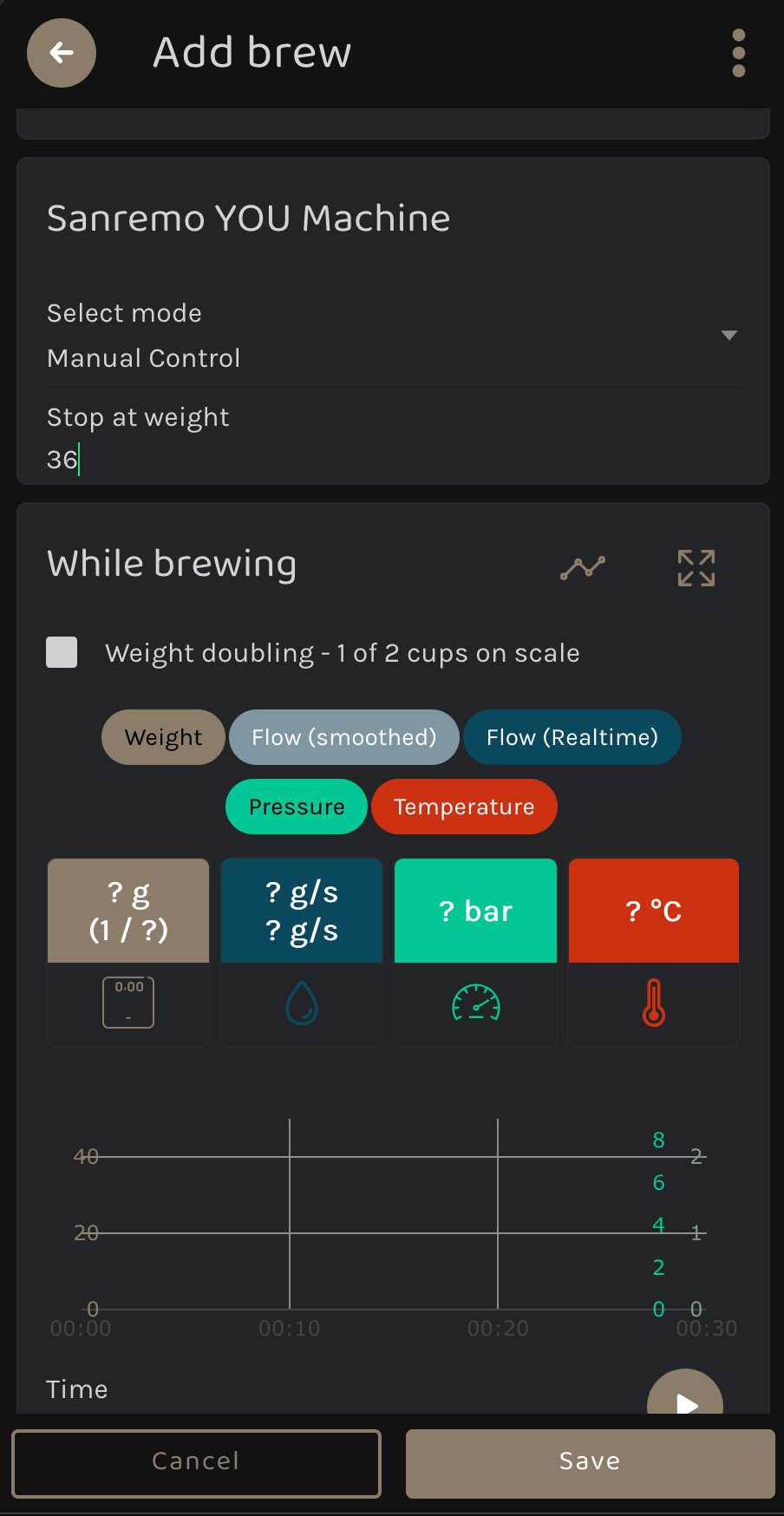
If you did not select “Listening” mode, but instead want BeanConqueror to actively control your shot (e.g., using Manual Control, Profile P1, P2, or P3), you will need to enter your desired target weight.
[!WARNING] Ensure you input a target weight greater than 0. Otherwise, BeanConqueror will not know when to stop the shot automatically!
Starting the Brew
Depending on the mode you selected, the brewing process slightly differs:
Option A: “Listening” Mode
- Press the Start icon in the app.

- Now, manually start your shot on the machine by pressing M, P1, P2, P3, or using your paddle.
- Important: BeanConqueror will not stop your shot automatically in this mode. You will need to stop it manually. BeanConqueror will simply listen and record all data such as temperature, pressure, weight, and flow.
Option B: Control Mode (M, P1, P2, P3)
- Make sure your cup is placed on your connected Bluetooth scale and that it has been tared beforehand (not similar to Baristamode, because here auto-taring will apply).
- Press the Start icon in the application.
- BeanConqueror will now remotely trigger the shot on your Sanremo YOU and automatically stop it once your target weight is reached.
Wait until the shot comes to an end, have a look at your beautiful brew graph, and enjoy your espresso!
Brew By Weight Target Not Hit?
The difference between Baristamode and the normal Tracking Mode is how they handle the residual lag time. In Baristamode, the lag time adjusts itself automatically. This is because Baristamode assumes you are consistently using the same bean with your chosen profile, allowing BeanConqueror’s algorithm to learn and adapt over multiple shots.
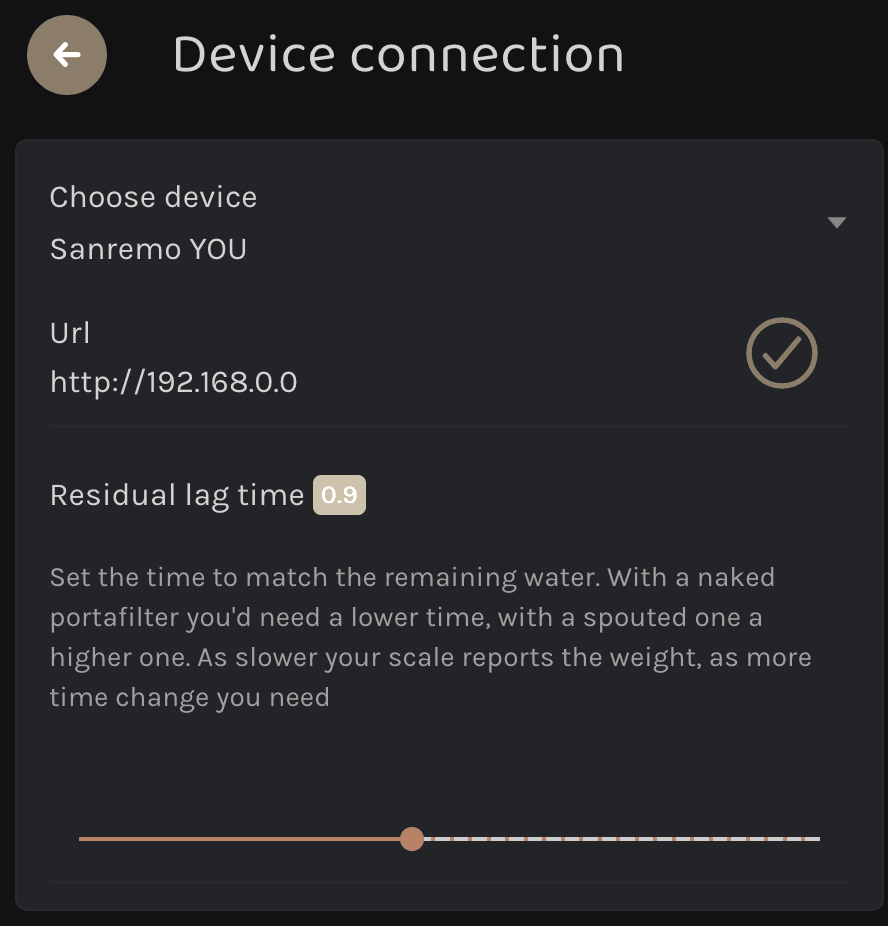
However, in the normal tracking mode, you will likely be using different beans, grind settings, or tools for each brew. Because of these variations, the residual lag time starts at a fixed default value of 0.9, which has proven to deliver great results in most tests.
If you find that your final shot weight is consistently overshooting or undershooting your target, you can manually adjust this lag time:
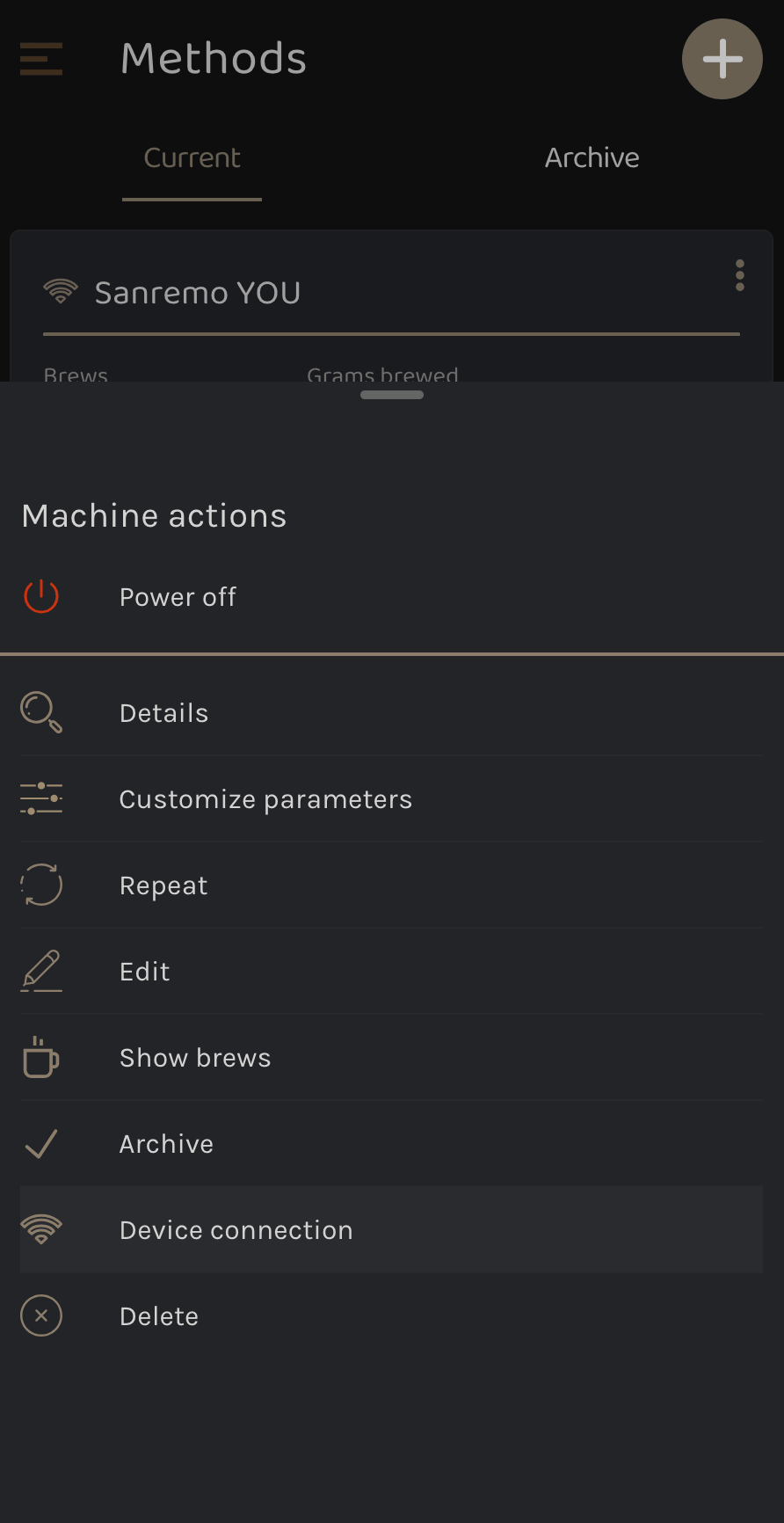
- Navigate to your Preparations and edit your Sanremo YOU device connection.
- Edit the Residual Lag Time value.
[!TIP]
- Adjusting the value closer to 0 means the shot will stop later (resulting in a higher final weight).
- Adjusting the value closer to 2 means the shot will stop earlier (resulting in a lower final weight).