- Home /
- Help Center /
- Track and Control your brew with the Profitec Move 2.0
Track and Control your brew with the Profitec Move 2.0
- Lars Saalbach
- Hardware , Profitec move 2.0 , Bluetooth
- November 1, 2026
Table of Contents
With the release of BeanConqueror 8.8, you can now connect your Profitec Move 2.0 directly to the app over Bluetooth! This enables smart shot tracking and automatic Brew by Weight control without needing any Wi-Fi setup.
For an overview of the integration and official firmware specifications, visit our BeanConqueror x Profitec Move 2.0 Landing Page.
Important Prerequisites
Before you start, please ensure you meet the following requirements:
- BeanConqueror App Version: Update to or install BeanConqueror 8.8 or newer.
- Profitec Move 2.0 Firmware:
- 02TMove:
1.13 - MVIimb:
2.01f
- 02TMove:
- Bluetooth Enabled: Make sure Bluetooth is enabled on your phone or tablet. The Profitec Move 2.0 communicates directly via Bluetooth Low Energy (BLE)—no Wi-Fi connection is required.
- Bluetooth Scale: Connect a supported smart scale to BeanConqueror to measure the real-time weight during extraction.
- Keep the App in the Foreground: BeanConqueror must stay active on your screen during the extraction. If you switch apps or lock your phone, the operating system (iOS or Android) will suspend background Bluetooth communication, preventing the app from sending the stop signal at the right moment.
Step-by-Step Setup
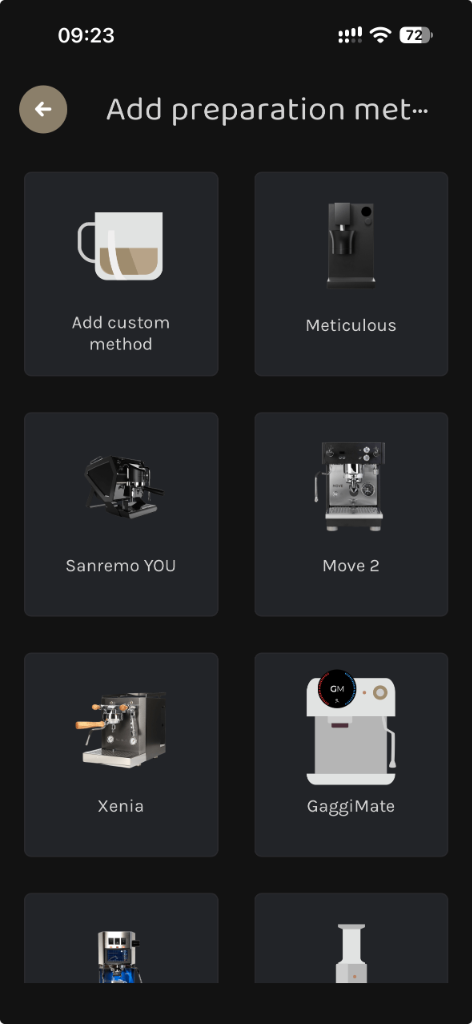
1. Add the “Move 2” Preparation Method
- In BeanConqueror, go to Settings > Preparation methods (or tap the plus icon in your preparation list).
- Choose Move 2 from the list of espresso machines.
2. Search and Connect via Bluetooth
- In the Move 2 device connection view, tap Search Bluetooth Devices.
[!NOTE] Make sure you are close in range to the Profitec Move 2.0 so your device can discover its Bluetooth signal reliably.
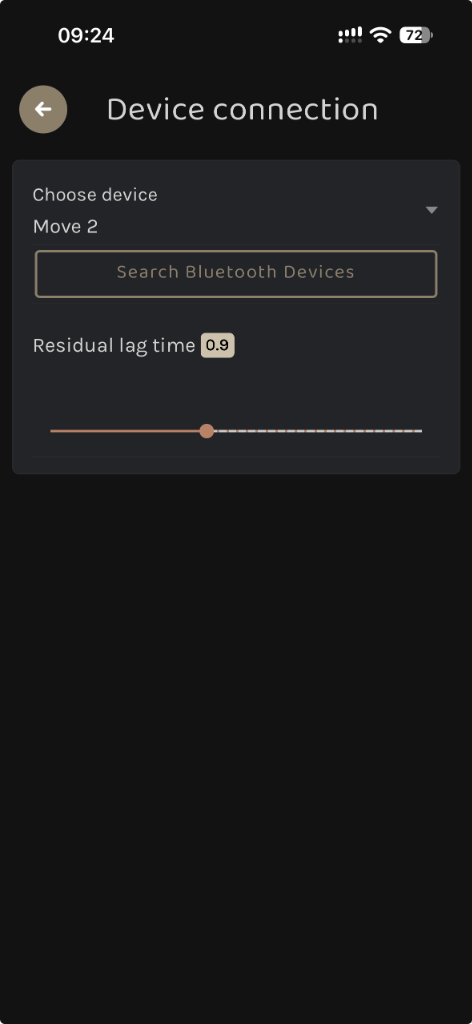
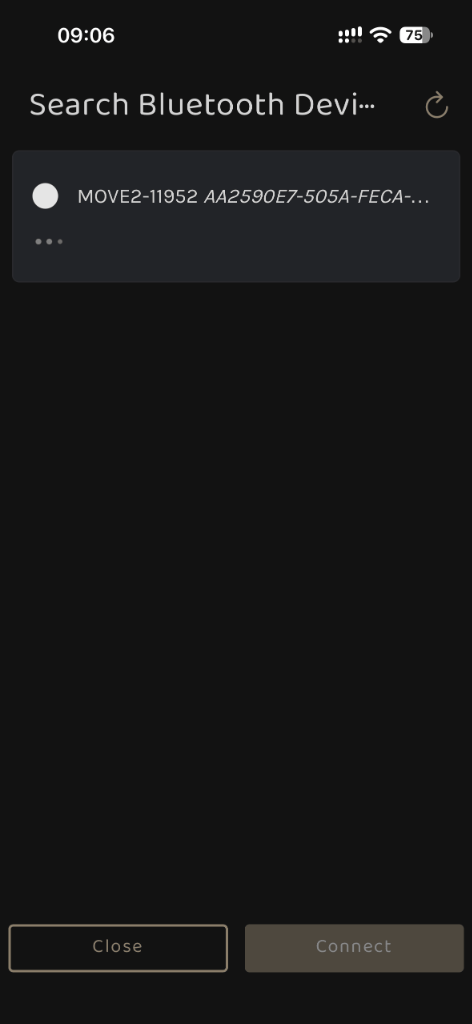
- When your machine appears in the discovery dialog (e.g.
MOVE2-XXXXX), select it and tap Connect.
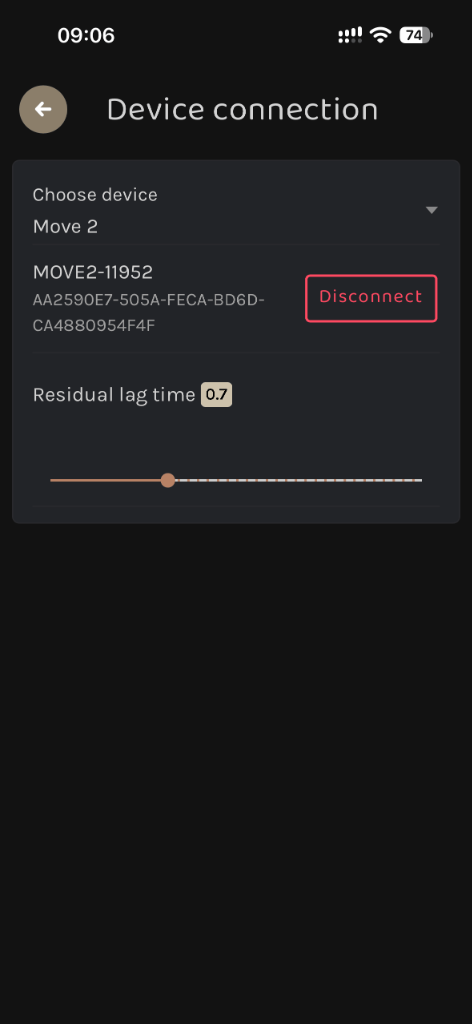
- Once connected, the screen displays your connected machine along with the Residual lag time slider. The residual lag time starts with a default value of 0.9.
Starting a Brew
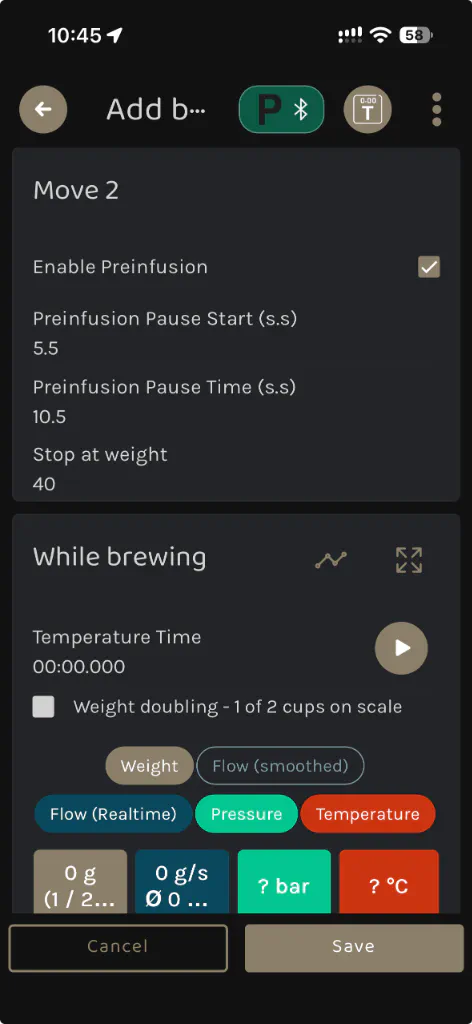
When starting a brew with the Profitec Move 2.0, configuring your extraction is simple:
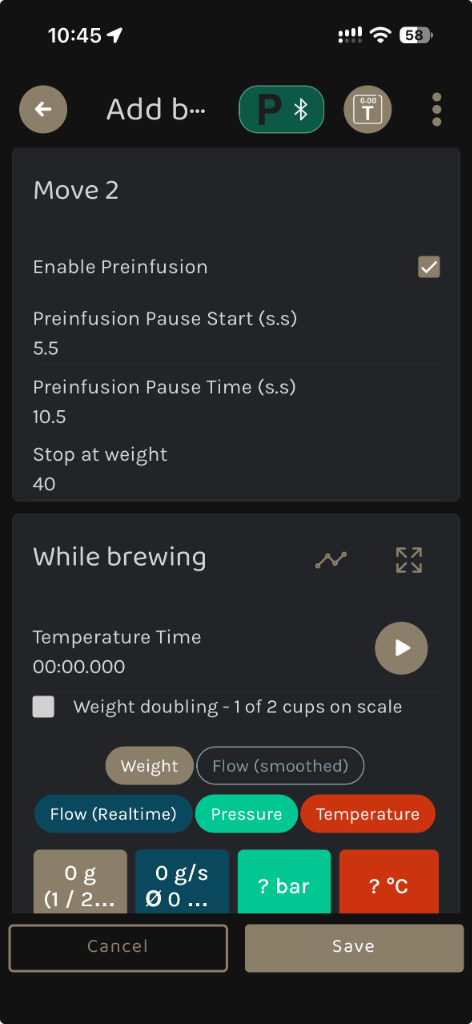
- Preinfusion & Time: Choose whether you want to use preinfusion, and set the desired preinfusion time in seconds.
- Stop at Weight: Enter your target espresso yield (e.g., 36.0 g).
[!NOTE] Unlike multi-profile machines with various listening or profiling options, the Profitec Move 2.0 is focused directly on target control: you set preinfusion (with time) and the stop-at-weight target—no other modes can be selected.
- Place your cup on your connected Bluetooth scale and tare it.
- Start the brew in the BeanConqueror app:
[!IMPORTANT] The brew must be started directly within the BeanConqueror app. It is not possible to start the brew from the machine buttons.
Once started in the app, BeanConqueror triggers the Profitec Move 2.0, manages preinfusion, monitors the extraction in real time from your smart scale, and automatically sends the stop command over Bluetooth as soon as your target weight is reached.
Brew By Weight Target Not Hit?
The residual lag time compensates for the short physical delay between BeanConqueror issuing the stop command via Bluetooth, the machine cutting off the brew group, and the final droplets of coffee dripping from the portafilter into your cup.
The residual lag time starts at a default value of 0.9, which delivers consistent, precise results in most setups. However, differences in bean density, grind size, roast level, or basket flow might cause your final weight to slightly overshoot or undershoot your target.
If you notice a consistent offset in your final cup weight, you can easily fine-tune the lag time:
- Navigate to Preparation methods in BeanConqueror and open your Move 2 device connection.
- Adjust the Residual lag time slider.
[!TIP]
- Adjusting the value closer to 0 (e.g. 0.7) means the shot will stop later (resulting in a higher final weight in your cup).
- Adjusting the value closer to 2 (e.g. 1.1) means the shot will stop earlier (resulting in a lower final weight in your cup).